Posts

Portfolio

Image
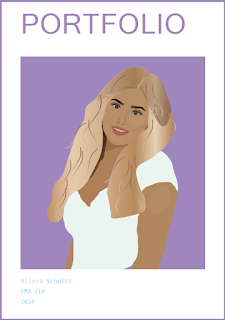
  Template used and modified-  AdobeStock_675810641 Portfolio For this final assignment, I started by using the template found on the Adobe website and modified the color of the fonts. I wanted to keep the background pretty simple to resemble a magazine or real artist portfolio. I embedded my work from each Adobe platform and adjusted my photos to fit the text boxes. I also modified all of my artist statements and the sizing. Overall, this assignment taught me a lot about InDesign and allowed me to reflect on my work. I am extremely happy with my work from this class!

Business Cards

Image
 These are my sketches for my business cards. I used a mixture of fonts and included different art and drawings in my sketches. This is my favorite business card. I created a simple front that includes only a background and my logo. For the back, I lowered the saturation on the background so the words would stand out more. I also made the font for my information different and more bold so it would stand out. Since this business card is lavender I wanted to include a lavender clip art to separate my first and last name. On the back side, I thought it made the most sense to use the black and white logo so that it looks more minimalist. I also made the information on the card a bold text with a white outline so it would stand out. This is my final business card. I really like this business card because I think the background color looks really good with my logo. It is also very simple but clean.

Postcard

Image
My postcard used photos from the solar eclipse in Fort Worth, Texas. I am not from there, however, the solar eclipse was far more beautiful in Texas rather than in Minnesota. I used a mix of fonts to create and colors to create a postcard I believe could be found at a store.   

Animation

Image
For my GIF I used only 2 pictures from Google and everything else I created using Photoshop. This GIF tells the story of a flower that dies and later blossoms into a magical flower. A cute bunny runs by to see the magical flower and then the bunny hops away. This is meant to be a lighthearted GIF that just makes you happy.  

Anim HW1

Image
  This video taught me the important tools to set up an animation and how to create a basic animation. I learned that it's important to put each body part on a different layer because if you don't you will not be able to move your character. You can paint and draw your character similarly to what we did on illustrate. Adding each detail to your drawing on different layers can get messy, so I learned it makes it easier to group your layers. This allows you to easily know which piece of the drawing you are moving. This video was a quick introduction to frame-by-frame animation. You can easily duplicate layers by dragging your layer to the plus sign. By clicking each copy of the layer you can draw something on each layer so when it plays your drawing moves. In this video, she took a different approach to doing her GIF. She imported her image from Illustrate instead of creating it on Photoshop itself. You start by adding a timeline and then you can begin hiding and unhiding parts o...

Somewhere

Image
 Original photo: Original photo: Photoshopped photo: This assignment was to photoshop myself into my favorite show or movie. I chose to photoshop myself into a photo of the cast of gossip girl. This assignment showed me how to change the lighting, highlights and shadows, contrast, and how to believably edit myself into a photo. 

Ps HW3

Image
1). I think this image would be hard to photoshop myself into because his arms had to be in that exact position to make it look realistic. Also the lighting in the photo would have been hard to recreate. 2). This image gave me inspiration for my "somewhere" project because he dressed like he would actually be in the photo. He also added shadows to make it look more realistic. 3). This photoshopped image made me laugh because instead of making the guys shorts longer he made all of the guys wear shorts.  I would maybe want to recreate this image because I think its a cool trick how food companies use optical illusions to make it appear as the food is hot but its really a steamer.

BW to Color

Image
I chose this color triad because my favorite color is pink and when I selected pink the other colors automatically were selected. This is my favorite BW to color photo I did because it looks like pop art.  When doing this assignment I knew I wanted to do one monochromatic colorway. I chose purple because it isn't a color found in the original picture so I thought it could be fun to choose a different color. I picked this colorway because it almost looks similar colors to the original photo.  This assignment taught me to colorize BW photos. I struggled at first but after practice and watching the tutorials, I gained an understanding and was able to colorize the photos.

Ps HW 1

Image
 Video 1: In this video he discusses a few beginner tools. He starts out explaining the lasso tool. This tool allows you to lasso around something so you are able to remove it. Next he discusses the spot healing brush tool. This tool allows you to remove an object by drawing over it. Then he talks about the masking tool. This allows you to hide parts of your image without completely deleting it. All of the tools he discusses seemed easy to learn and a very helpful tool. Video 2: This video gave me a brief introduction to the more basic tools I will use. He started off by teaching me the move tool which allows you to move around the image. Then he discusses the rectangular marquee tool which lets you click and drag a piece of the image. He also mention the quick selection tool with allows you to move parts of an image. This video enlightened me about how different tools can be used in different ways and can do similar things to other tools. Video 3: In this video I learned quick tip...

TagBrush

Image
 My Logo: My Logo was inspired by my childhood. I grew up going to my Grandparents house and they had a sunflower field in their backyard. Ever since then i've always loved sunflowers, which is why I chose to combine my initial L for Liv and a sunflower. My Tag Print:  For this assignment we turned our logo into a tag brush. I chose to create a frame with my tag around a bigger tag and then layered a pink tag in the middle. I chose to do this because I wanted to showcase my logo and add a contrast of my favorite color over top.

Poster

Image
My original picture:  My self-portrait: My Poster: When given the opportunity to do this project I originally struggled to find an idea for a propaganda poster. I reflected on what I love and I thought of the ocean. With all of the pollution in our ocean, it is important that we don't litter in attempts to save our ocean.

Calligramme

Image
My Future Letter: Dear future Olivia, I am currently a Freshman in college writing to my 38-year-old self. I hope by then I have my life figured out more. I have so many friends that I hang out with every day and I really hope to be friends with them still. My friends are Eloise, Kenna, Darby, Tess, Ella S, Kyra, Tini, Ella P, Gracie, Jessie, and so many more. College has brought me out of my comfort zone and showed me that I am capable of doing anything. Before going to college I was extremely nervous about meeting new friends, but I seriously have met some great people here. I hope that you are married to a very rich and attractive man lol. I wonder where I'm going to end up living… Possibly Florida, New York, or even back in Minnesota. Do I have children, if so how many? Thinking about being 38 definitely scares me. My life currently consists of waking up going to class, maybe going to the pool, and then hanging with friends. On the weekends, I go to Caddys with friends and usua...

Logo

Image
 Sketches:  When I was creating my sketches I wanted to draw a logo that was reflective of me and was also creative yet simple. I was debating between the teddy bear logo or the L with the sunflower. Final black and white version: I chose this logo because I believe it represents me well. Growing up visiting my grandparents I always played in their sunflower field. This logo brings me back to my childhood and reminds me of happy memories. 3 Color versions: When coloring my logo I knew that the logo had to stay true to the colors of a real sunflower. I made three different color variations of a sunflower. I prefer the top right sunflower the most because I think it is the most accurate coloring. 

Illustrator Tutorials

Image
  Adobe Illustrator for Beginners: Get Started in 10 Minutes In this first video I learned about what Adobe Illustrator is and some tools. I learned you need to press the letter 'm' to select the rectangle tool. Once you get the rectangle tool you can just click and drag to get the size you want or you can just click and type in the exact size you want. This also applies for any shape that you want for example a circle. I also learned to get to the draw tool you press shortcut 'p' and then you can click and it will make a line. You can also click and drag to make a curve. After trying the illustrator draw games during class, I can tell that this is something I may struggle with. Adobe Illustrator Beginner Tutorial: Create a Vector Pear from Sketch (HD) In this video I learned how to make a vibrant pear from a black and white sketch. The first thing I learned was you can change the canvas size and the opacity of the sketch. You then add a layer so you can outline the sha...

Internet/ World Wide Web/ Bluetooth/ Wi-Fi

  Internet and  World Wide Web      The Internet is what makes communication online and finding information possible. It is the connection needed to make searches on the World Wide Web. The Internet was not just created by one person, however, Vinton Cerf and Bob Kahn are the people who created TCP/IP, the technology used to organize and move data. Vinton Cerf created the word internet, and with their discoveries, we would not have the internet. In 1965 the first use of a computer network was used when Lawrence Roberts made computers communicate with each other without being in the same location.      The World Wide Web was invented by Tim Berners-Lee in 1989. The World Wide Web is all of the websites and information you get from using the internet. Its intended use and purpose was a place where you could access all of the websites (hypertext documents) by different computers. Now it is used by essentially everybody to access the news, media, imag...

About Me

Image
Hi, I am Olivia Schultz. I am currently a Freshman at University of Tampa. I am originally from Wayzata, Minnesota a town located on Lake Minnetonka. Being so close to the lake, I love to go tubing, jet skiing, wake surfing, and swimming. I am always down to do something and am always doing fun activities with friends like working out, going out to dinner, and going to the beach. I also love having my alone time where I can relax do a facemask or light a candle and watch a movie. While having 4 roommates getting alone time is rare, I love spending time with them and wouldn't change it. My first thoughts and feelings from this class was I would learn a lot about technology and how to use it. I am super excited to learn more about technology and media since it is so prevalent in my daily life. I am a little nervous because some of the content is going to be very new like using photoshop, making GIF's, creating logos. However, I have grown up with lots of technology and tend to pi...